> For the complete documentation index, see [llms.txt](https://docs.higiocloud.vn/llms.txt). Markdown versions of documentation pages are available by appending `.md` to page URLs; this page is available as [Markdown](https://docs.higiocloud.vn/hi-gio-user-guide-vn/hi-gio-draas/kich-ban-failover/failover/buoc-3f-full-failover-vapp1-vm-app1-and-vm-db1-tu-on-premise-site-to-hi-gio.md).
# Bước 3F: - Full failover vAPP1 (VM - APP1 & VM - DB1) từ on-premise site to HI GIO
## **Tổng quan**
Nếu site được bảo vệ (on-premises) **không khả dụng**, bạn có thể thực hiện thao tác khôi phục thảm họa tải công việc (full failover) trên HI GIO Cloud.
## Quy trình
{% stepper %}
{% step %}
**Bước 1:** Đăng nhập vào HI GIO Portal.
{% endstep %}
{% step %}
**Bước 2:** Mở rộng **More** > Nhấn vào **Availability ()**
{% endstep %}
{% step %}
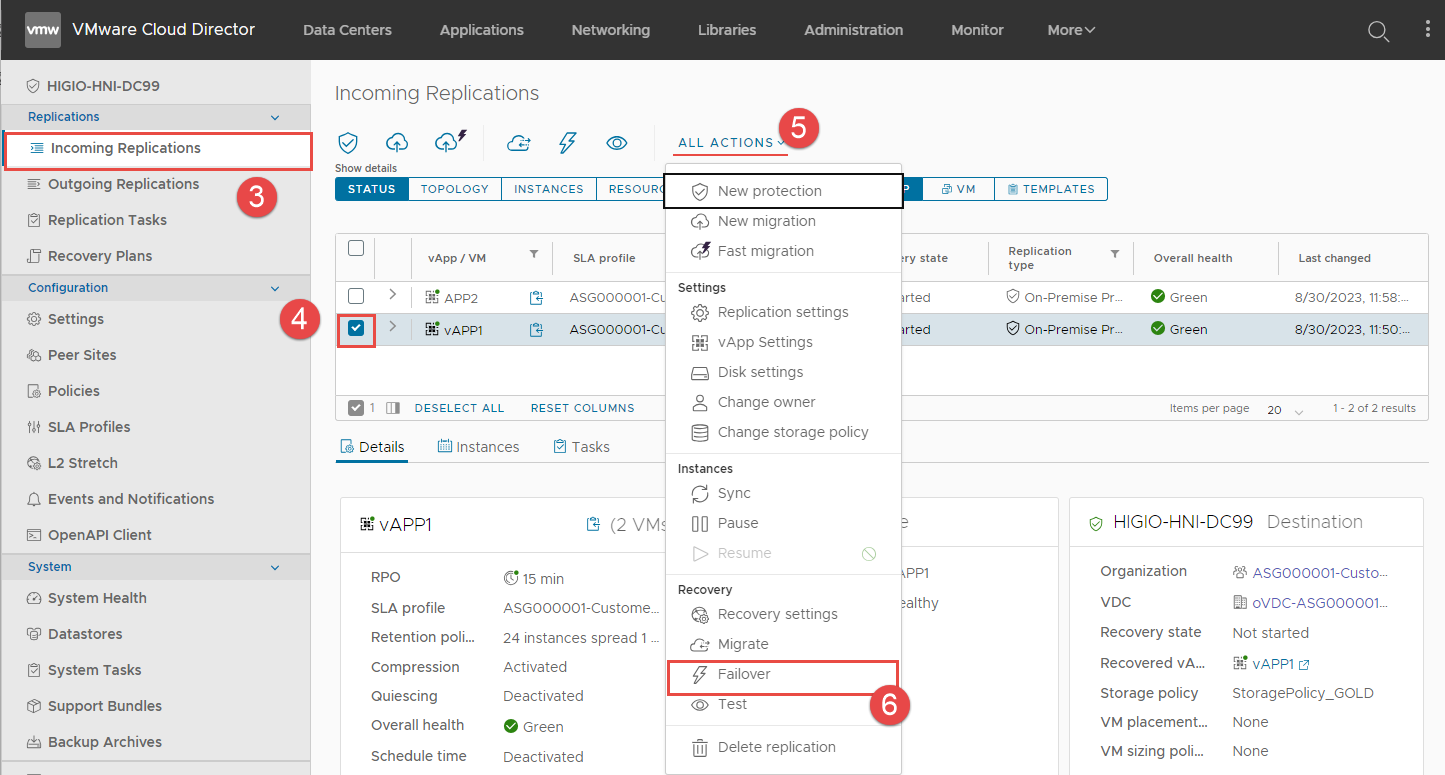
**Bước 3:** Nhấn vào **Incoming Replications** > Tích chọn checkbox cho VM **APP1** > Mở rộng **ALL ACTIONS** > Nhấn vào **Failover**.
{% endstep %}
{% step %}
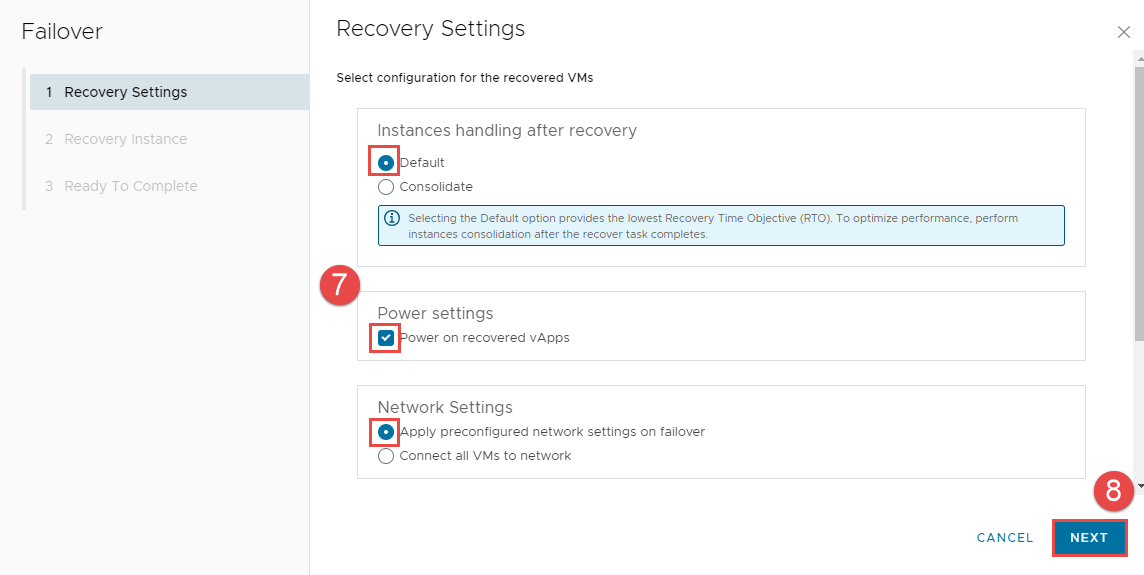
**Bước 4:** Cấu hình Recovery Settings cho Failover
**- Instances handing after recovery: Default.**
**- Power Settings: Power on recovered vApps.**
**- Network Settings: Apply preconfigured network settings on migrating.**
Nhấn **NEXT**
{% endstep %}
{% step %}
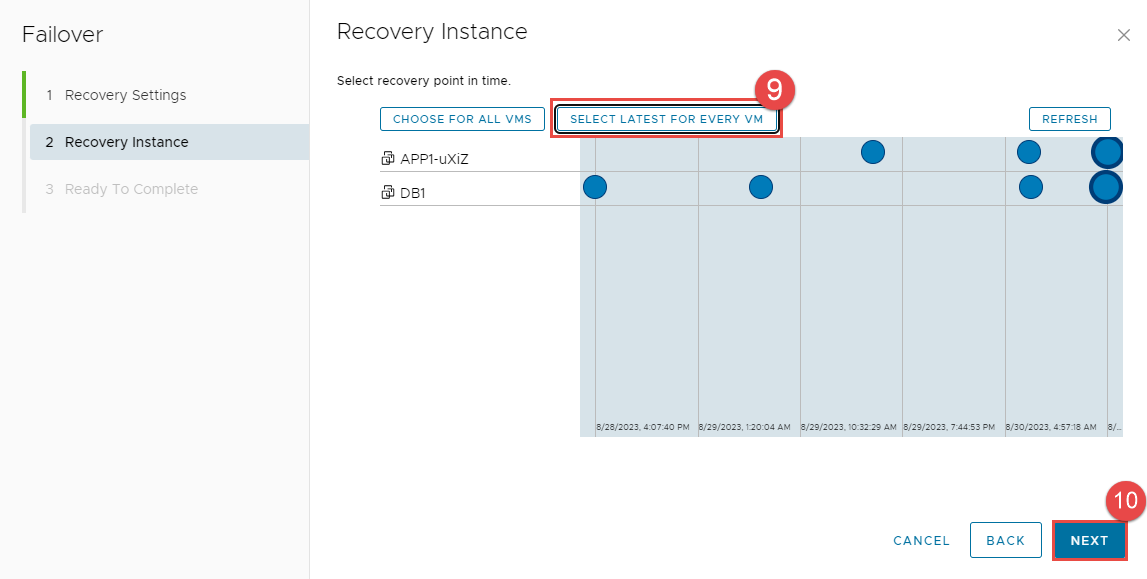
**Bước 5:** Cấu hình Recovery Instance cho Failover
Nhấn **SELECT LATEST FOR EVERY VM** > **NEXT**
{% endstep %}
{% step %}
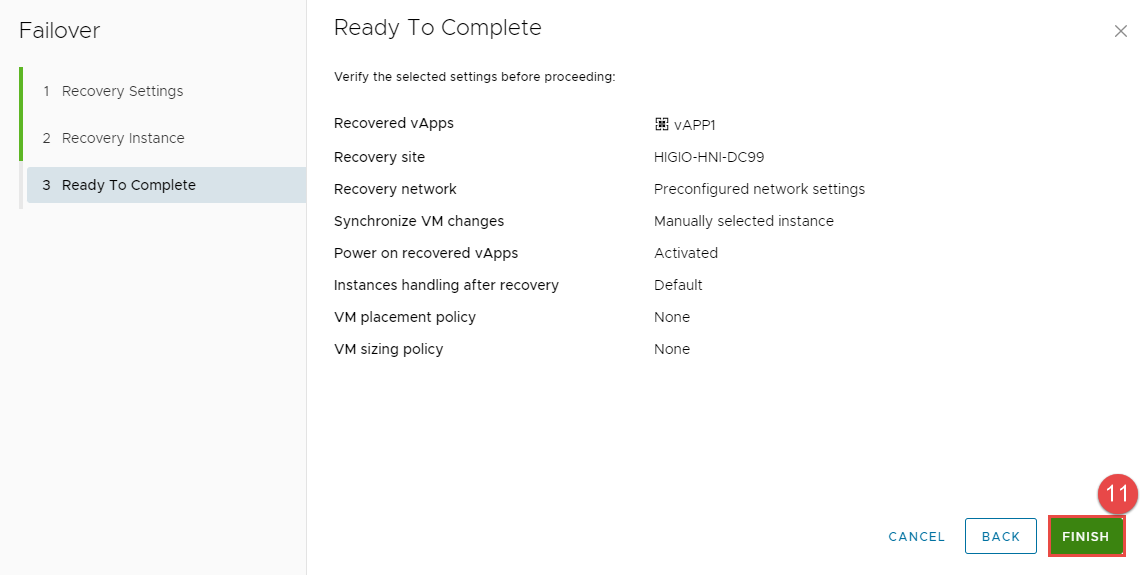
**Bước 6:** Xem lại và nhấn FINISH.
{% endstep %}
{% step %}
**Bước 7:** Kết quả mong đợi:
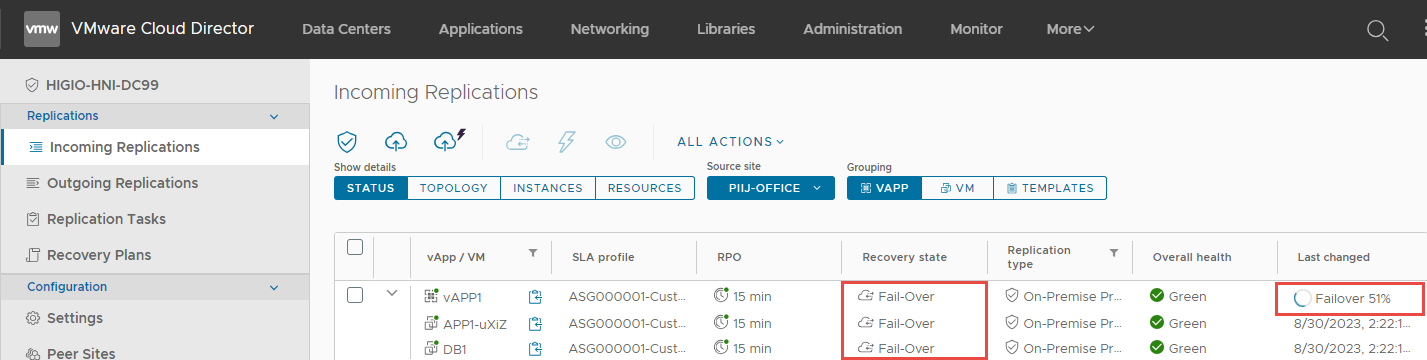
1. Failover in Progress: Trong Detailed Status, bạn sẽ thấy **Failover in Progress** với % tiến độ
2. Failover successfully: Quá trình này sẽ mất một vài phút. Xin kiên nhẫn.
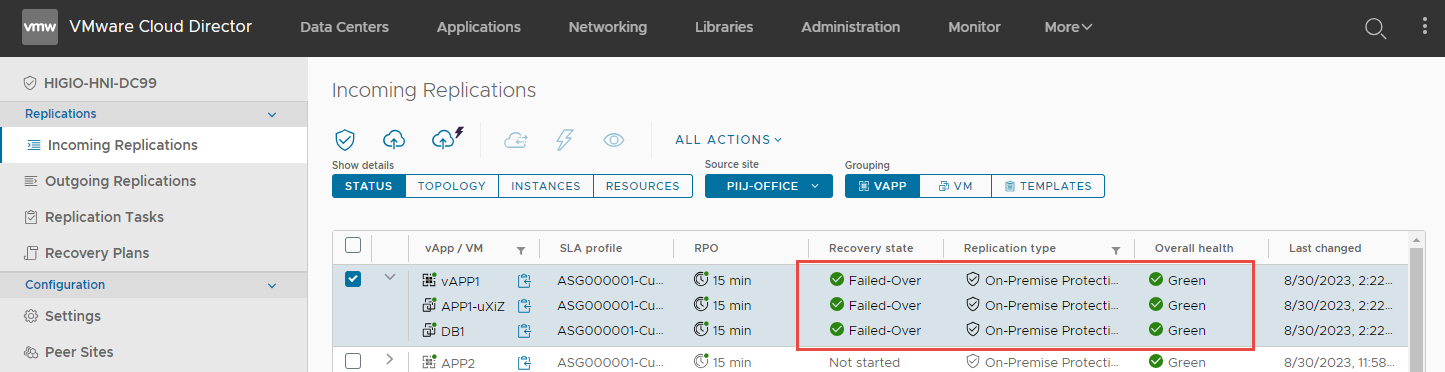
Sau khi hoàn thành tác vụ failover, tải của workload sẽ chạy trên cloud HI GIO.
**Xác nhận rằng tất cả các VM trong vAPP1:**
**- Recovery State = Failed-Over.**
**- Replication Type = On-Premise Protection**
**- Overall health = Green**
{% endstep %}
{% endstepper %}
***
## Validate - vAPP1 (VM APP1 & DB1)
Trong tình huống này, on-premise gặp sự cố: mạng, phần cứng máy chủ và lưu trữ… khiến nó không khả dụng.
## **Procedure**
{% stepper %}
{% step %}
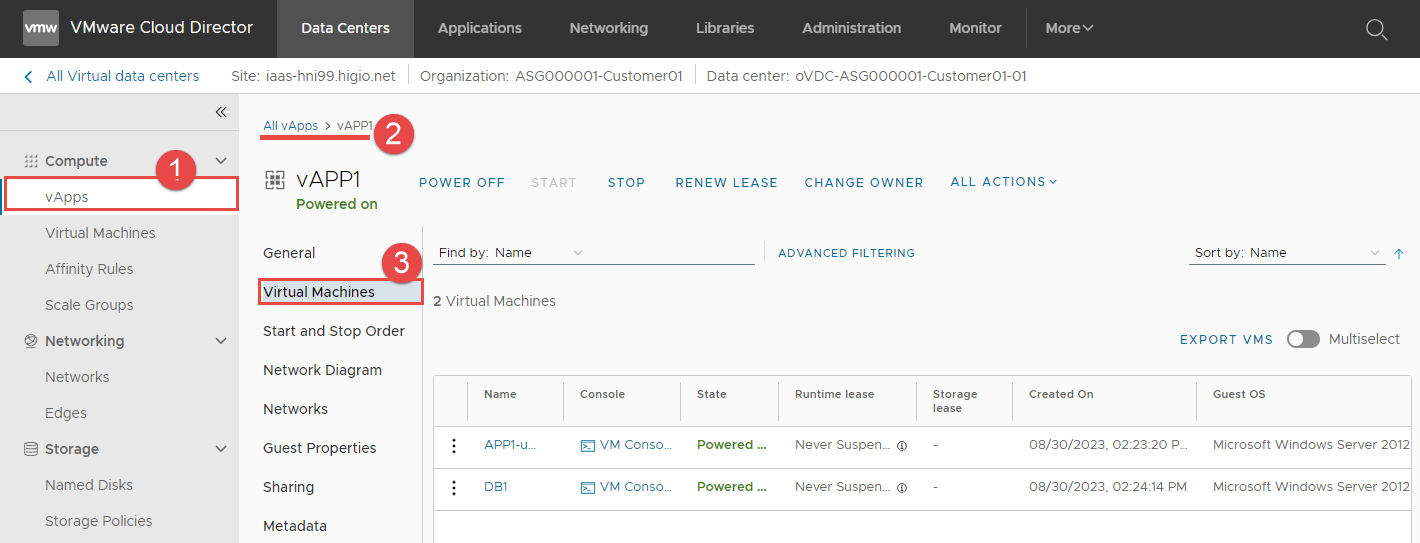
**Bước 1:** Đăng nhập vào HI GIO portal: chọn vAPP1 > **Virtual machines.**
{% endstep %}
{% step %}
**Bước 2:** Xác nhận rằng 2 VM, APP1 và DB1, đã được di chuyển sang HI GIO và đang chạy.
{% endstep %}
{% step %}
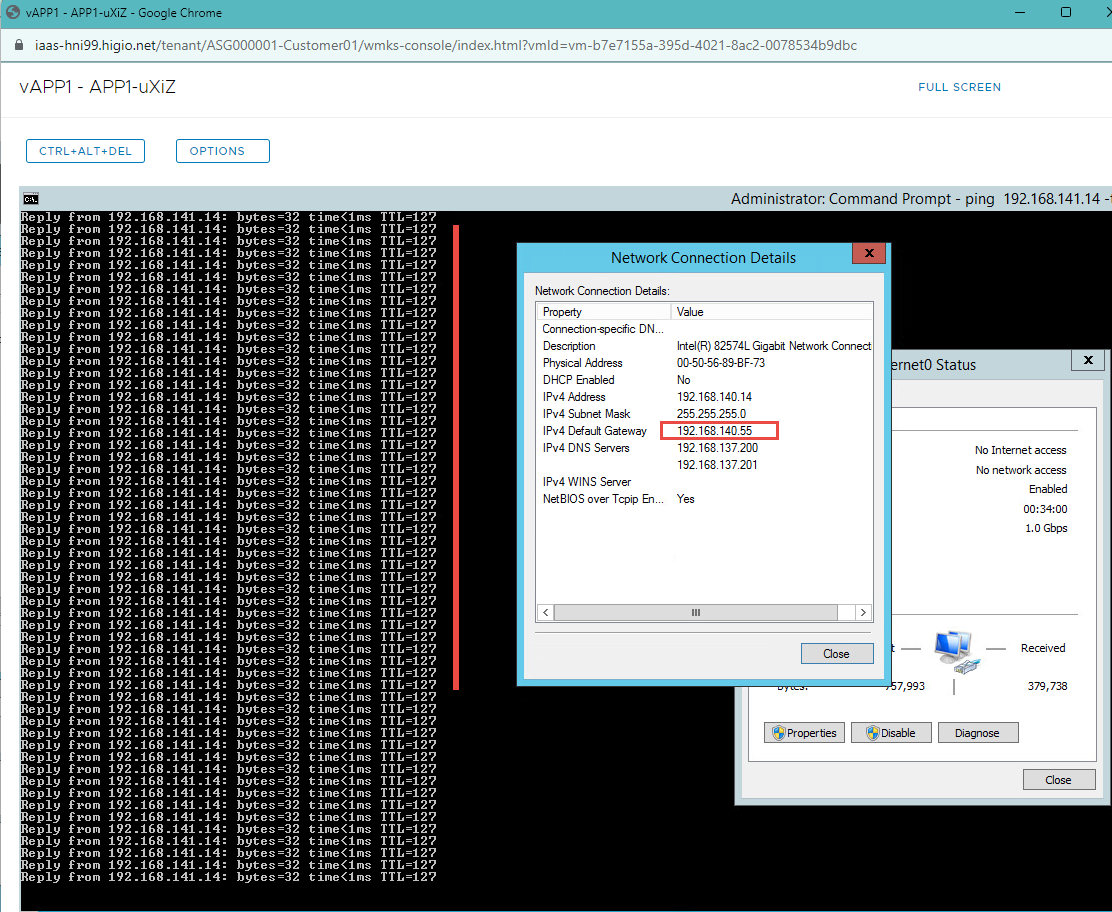
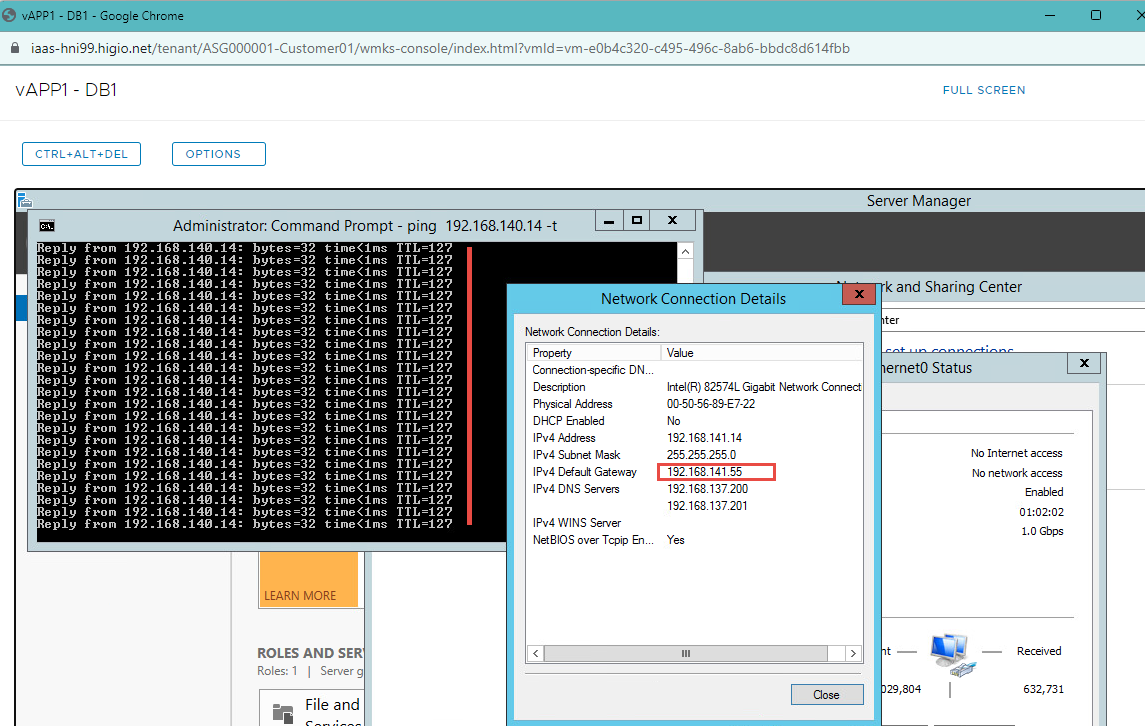
**Bước 3:** Thay đổi default gateway cho APP1 & DB1 (mạng on-prem gặp sự cố).
Đăng nhập vào APP1 & DB1 với quyền admin local > thay đổi default gateway và xác nhận rằng APP1 & DB1 có thể truy cập được.
{% endstep %}
{% step %}
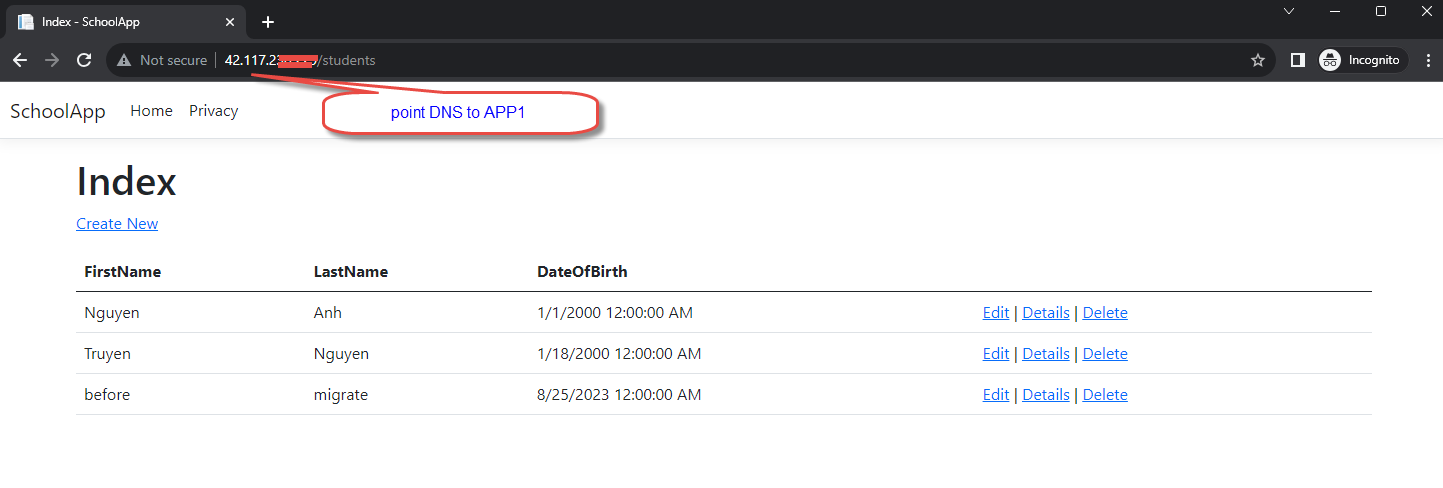
**Bước 4:** Chỉ định tên miền tới APP1 (cập nhật bản ghi DNS công cộng nếu cần).
{% endstep %}
{% step %}
**Bước 5:** Truy cập APP1 qua internet (trong trường hợp của tôi, tôi đã sử dụng một địa chỉ IP public).
{% endstep %}
{% endstepper %}
---
# Agent Instructions
This documentation is published with GitBook. GitBook is the documentation platform designed so that both humans and AI agents can read, navigate, and reason over technical content effectively. Learn more at gitbook.com.
## Querying This Documentation
If you need additional information that is not directly available in this page, you can query the documentation by asking a question.
Perform an HTTP GET request on the following URL with the `ask` and `goal` query parameters:
```
GET https://docs.higiocloud.vn/hi-gio-user-guide-vn/hi-gio-draas/kich-ban-failover/failover/buoc-3f-full-failover-vapp1-vm-app1-and-vm-db1-tu-on-premise-site-to-hi-gio.md?ask=&goal=
```
`ask` is the immediate question: it should be specific, self-contained, and written in natural language.
`goal` is what the user is ultimately trying to achieve, the reason they need the answer. Sharing it helps GitBook give you a better, more relevant answer. A goal is most helpful when it describes the outcome the user wants rather than restating the question. For example, with `ask=how do I create an API token`, a goal like `automate deployments from our CI pipeline` lets GitBook tailor the answer to that use case.
The response will contain a direct answer to the question and relevant excerpts and sources from the documentation.
Use this mechanism when the answer is not explicitly present in the current page, you need clarification or additional context, or you want to retrieve related documentation sections.