> For the complete documentation index, see [llms.txt](https://docs.higiocloud.vn/llms.txt). Markdown versions of documentation pages are available by appending `.md` to page URLs; this page is available as [Markdown](https://docs.higiocloud.vn/hi-gio-user-guide-vn/hi-gio-kubernetes/4.-cach-nang-cap-kubernetes-cluster-tren-hi-gio-portal.md).
# 4. Cách nâng cấp Kubernetes Cluster trên HI GIO Portal
## **Tổng quan**
Đây là tài liệu hướng dẫn cách nâng cấp HI GIO Kubernetes Cluster.
Các bước thực hiện nâng cấp:
* Các phiên bản phần mềm trong hướng dẫn này như sau:
* Nâng cấp Kubernetes Cluster.
* Xác minh Kubernetes Cluster sau khi nâng cấp.
{% hint style="info" %}
Phiên bản phần mềm trong tài liệu này như sau:
{% endhint %}
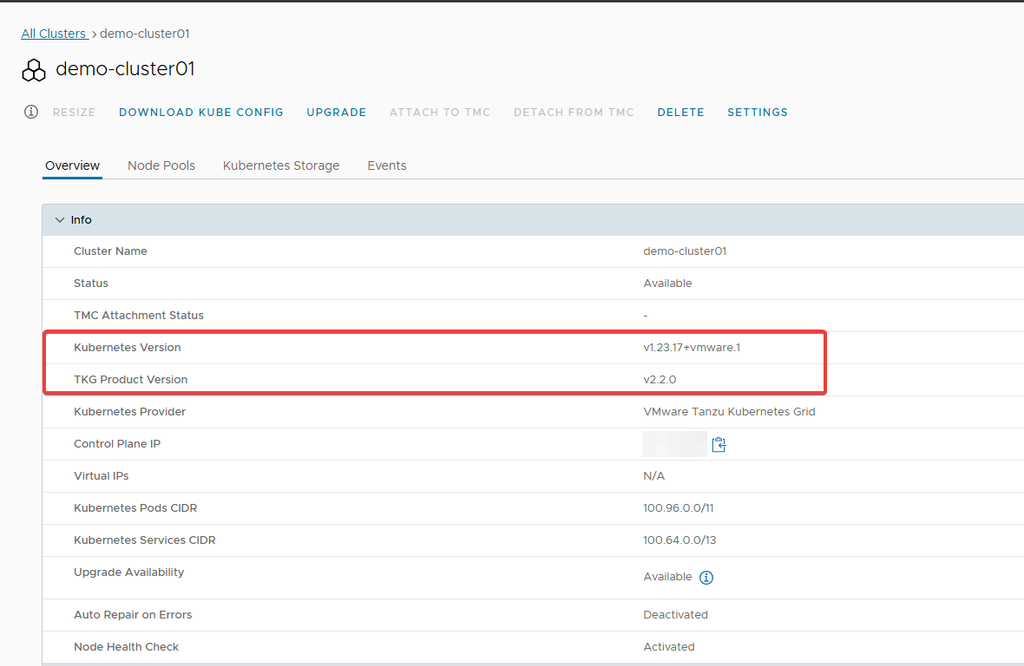
* Kubernetes Version: 1.23.17+vmware.1
* TKG Product Version: 2.2.0
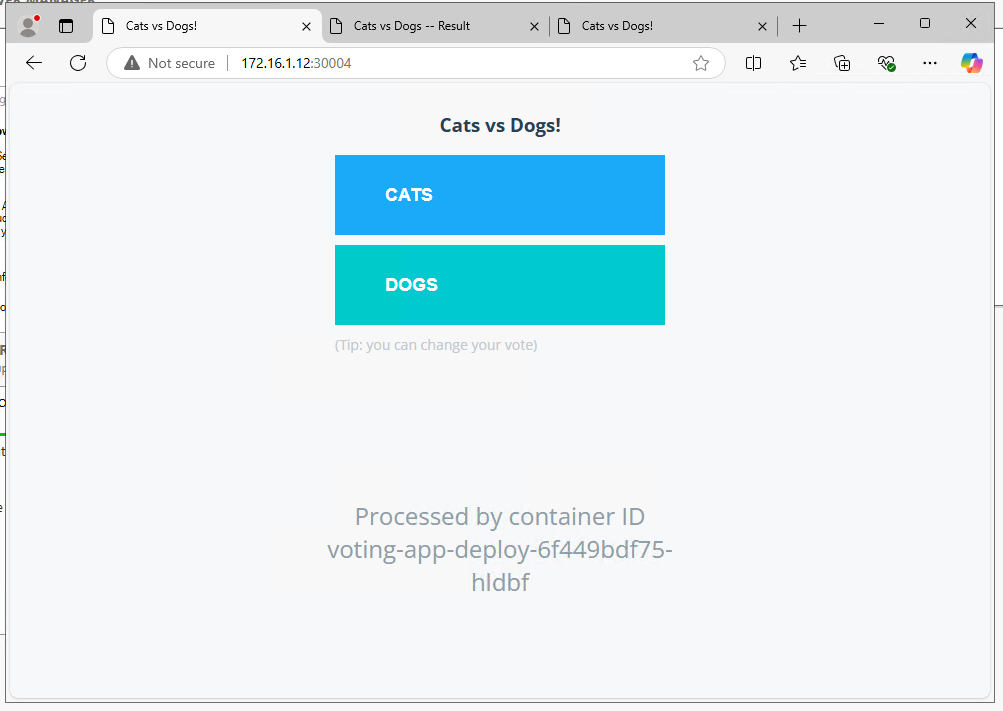
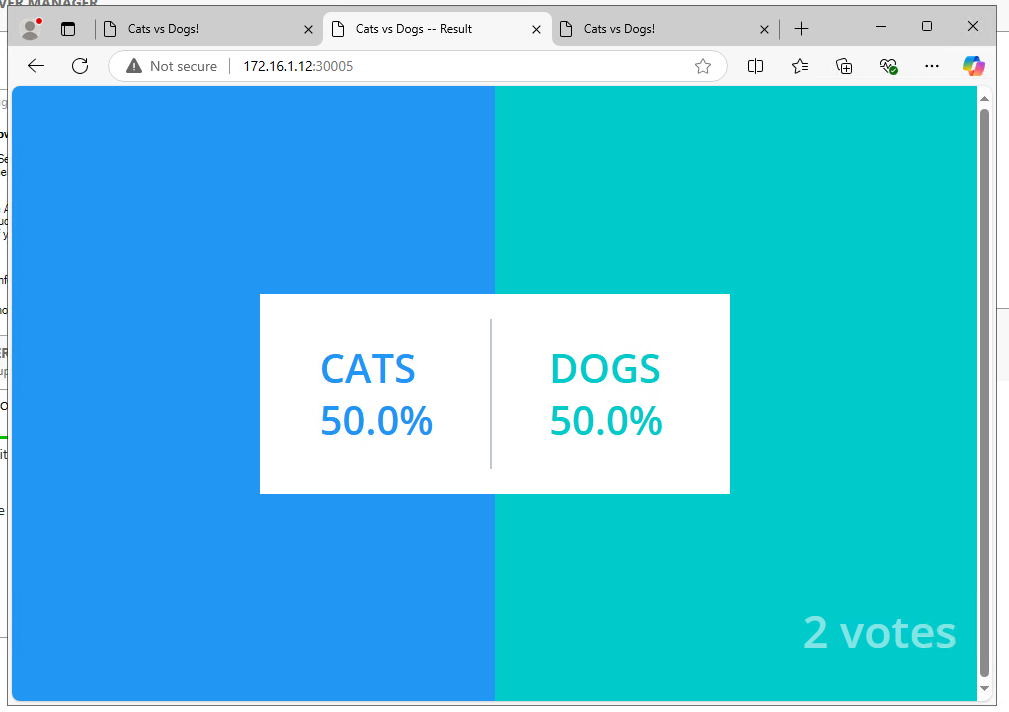
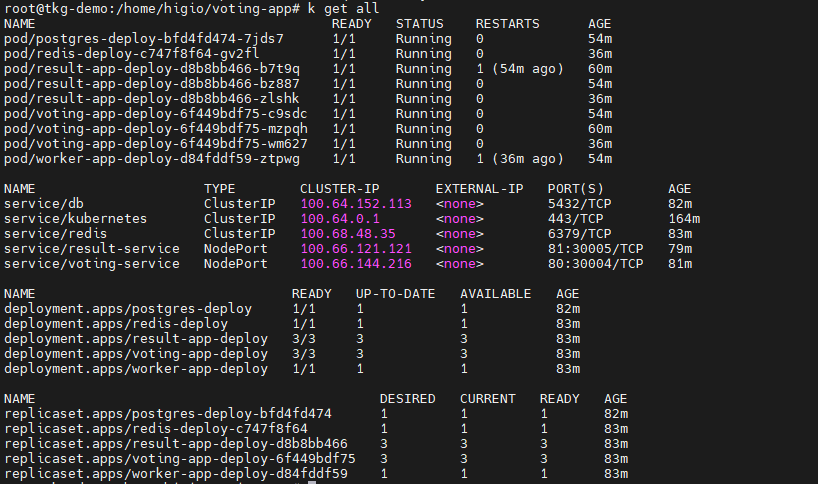
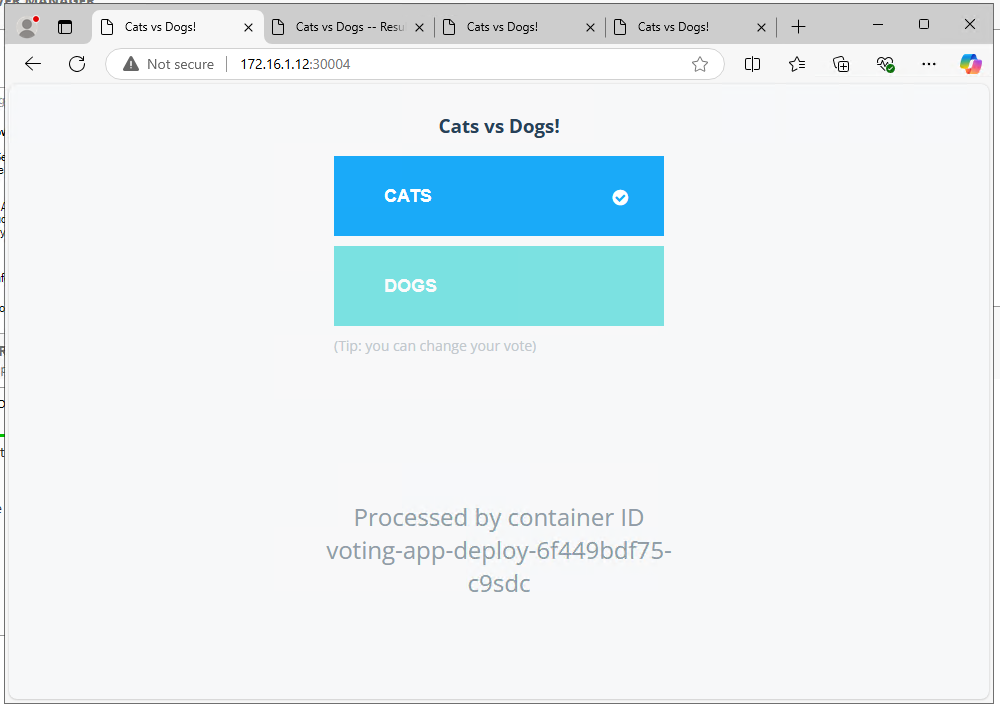
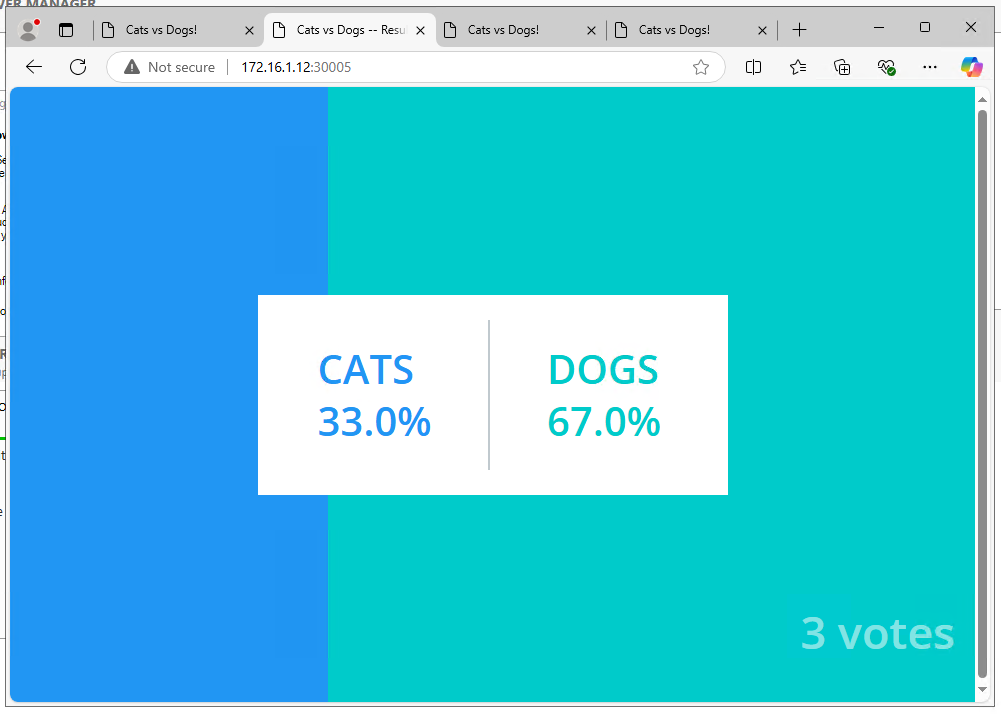
* Service running on the cluster: Voting web app
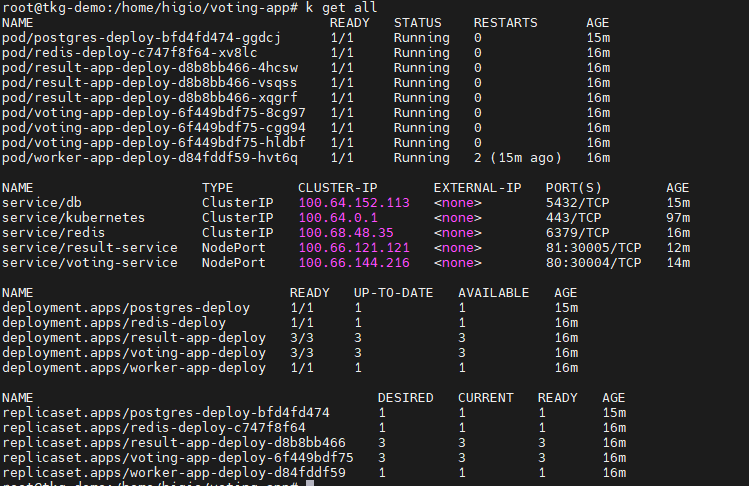
* Thành phần chạy dịch vụ::
## Quy trình
{% tabs %}
{% tab title="I. NÂNG CẤP Kubernetes Clusters:" %}
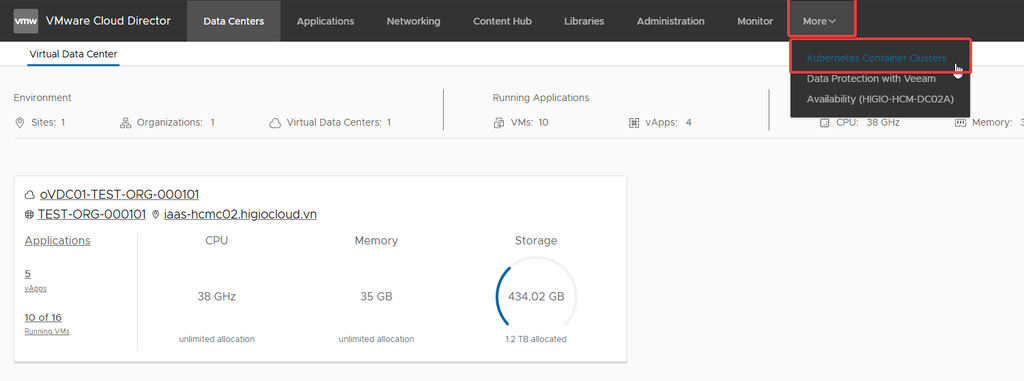
**Bước 1:** Từ vCD portal, chọn **More → Kubernetes Container Clusters.**
**Bước 2:** Chọn cluster bạn muốn nâng cấp.
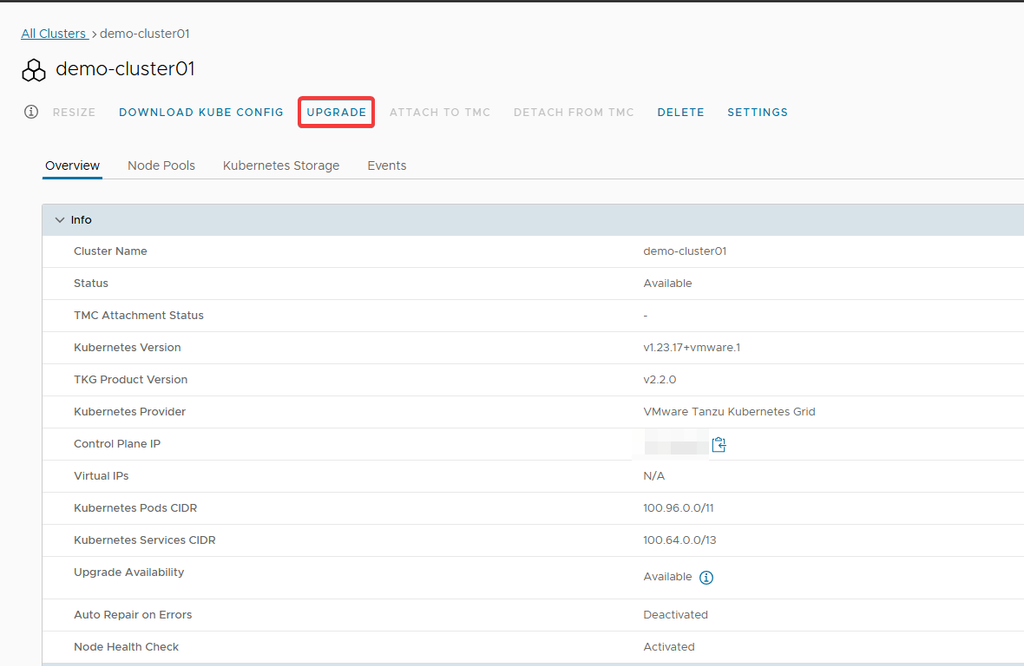
**Bước 3:** Chọn **UPGRADE.**
**Bước 4:** Xác minh rằng **phiên bản Kubernetes và TKG Product** hiện tại được sử dụng là chính xác.
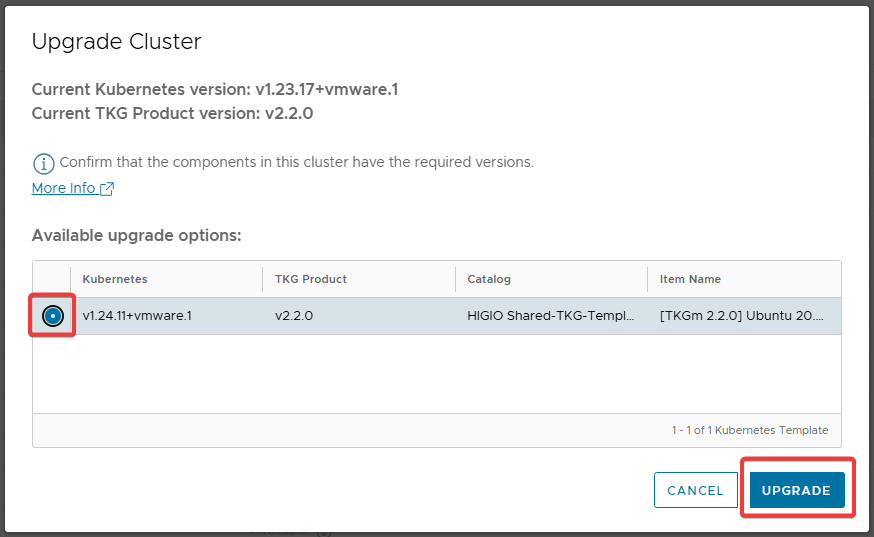
**Bước 5:** Sau đó, chọn **Available upgrade options** → **UPGRADE**.
**Bước 6:** Chờ đến khi cluster thực hiện nâng cấp hoàn tất.
{% endtab %}
{% tab title="II. Xác minh Kubernetes Cluster sau khi nâng cấp." %}
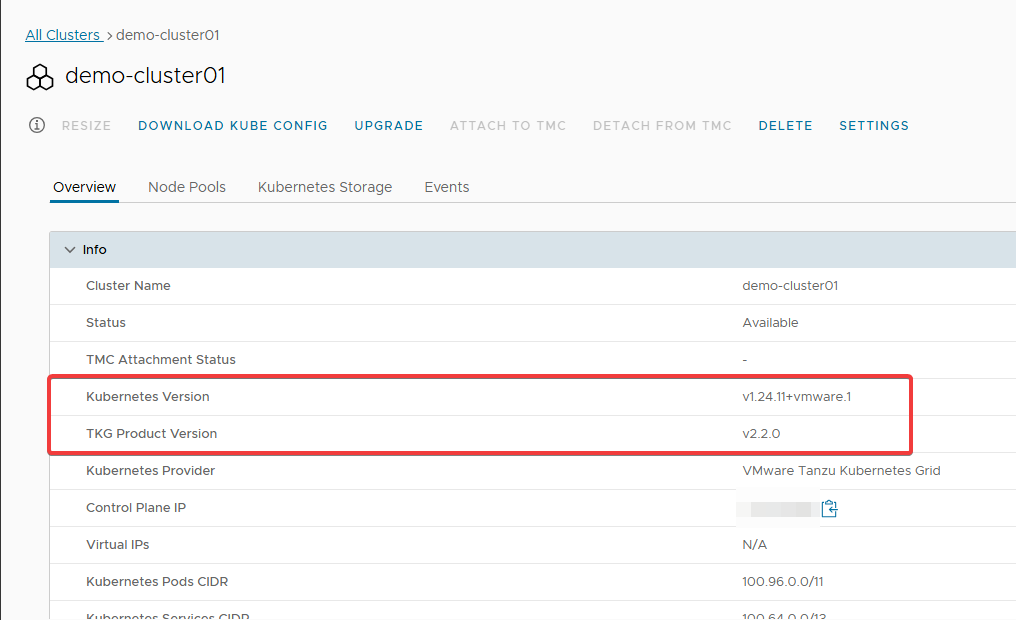
**Bước 1:** Sau khi hoàn tất, phiên bản cluster sẽ thay đổi thành phiên bản bạn đã chọn ở bước trên.
**Bước 2:** Kiểm tra các thành phần sau khi thực hiện nâng cấp và đảm bảo mọi thứ hoạt động bình thường
**Bước 3:** Kiểm tra dịch vụ sau khi nâng cấp và đảm bảo rằng nó vẫn hoạt động bình thường.
Nâng cấp đã hoàn tất.
{% endtab %}
{% endtabs %}
---
# Agent Instructions
This documentation is published with GitBook. GitBook is the documentation platform designed so that both humans and AI agents can read, navigate, and reason over technical content effectively. Learn more at gitbook.com.
## Querying This Documentation
If you need additional information that is not directly available in this page, you can query the documentation dynamically by asking a question.
Perform an HTTP GET request on the current page URL with the `ask` query parameter, and the optional `goal` query parameter:
```
GET https://docs.higiocloud.vn/hi-gio-user-guide-vn/hi-gio-kubernetes/4.-cach-nang-cap-kubernetes-cluster-tren-hi-gio-portal.md?ask=&goal=
```
`ask` is the immediate question: it should be specific, self-contained, and written in natural language.
`goal` is optional and describes the broader end goal you are ultimately trying to accomplish on behalf of the user. GitBook uses it to tailor the answer towards what is most useful for that goal.
The response will contain a direct answer to the question and relevant excerpts and sources from the documentation.
Use this mechanism when the answer is not explicitly present in the current page, you need clarification or additional context, or you want to retrieve related documentation sections.